Inkshelf, explained
Inkshelf is an app for a PocketBook e-reader that reads comics, books and recipes from your own servers, written in pure Go, and drawing on the e-ink screen by itself, without the vendor's SDK.
This site explains how it works, from the first pixel to the last page. You need to know how to program. You do not need to know anything about e-readers, EPUB or Go's internals: every idea is introduced before it is used.
What Inkshelf does
An e-reader is a small computer with a screen of e-inkE-ink: A display made of tiny capsules of black and white pigment, moved by electric fields. It keeps its image without power.: paper-like, easy on the eyes, and very slow. The one Inkshelf runs on is a PocketBook InkPad 3: a screen of 1404 × 1872 pixels, 16 shades of gray, a modest ARM processor.
Inkshelf connects that reader to three kinds of serverServer: Where books come from: Komga (comics), Mealie (recipes) or Calibre-Web (EPUB and CBZ). The app sees them through one Go interface. you may run at home:
- Komga, a server of comics and manga, which sends a comic page by page as pictures;
- Calibre-Web, a server of books, which sends a whole EPUBEPUB: A zip of web pages (XHTML), stylesheets, images and fonts, plus a package file that says in what order to read them. (or a CBZ of comic pages);
- Mealie, a server of recipes, whose recipes Inkshelf lays out into pages.
You pick a book, it downloads, and you read it. Your progress goes back to the server, so another device opens the book where you left it.
A two-minute tour
These are real screenshots, taken by the emulatorEmulator: A stand-in for the reader in a web page on your computer: the real event loop and screens, with a fake firmware., which runs the app on a computer against fake servers.
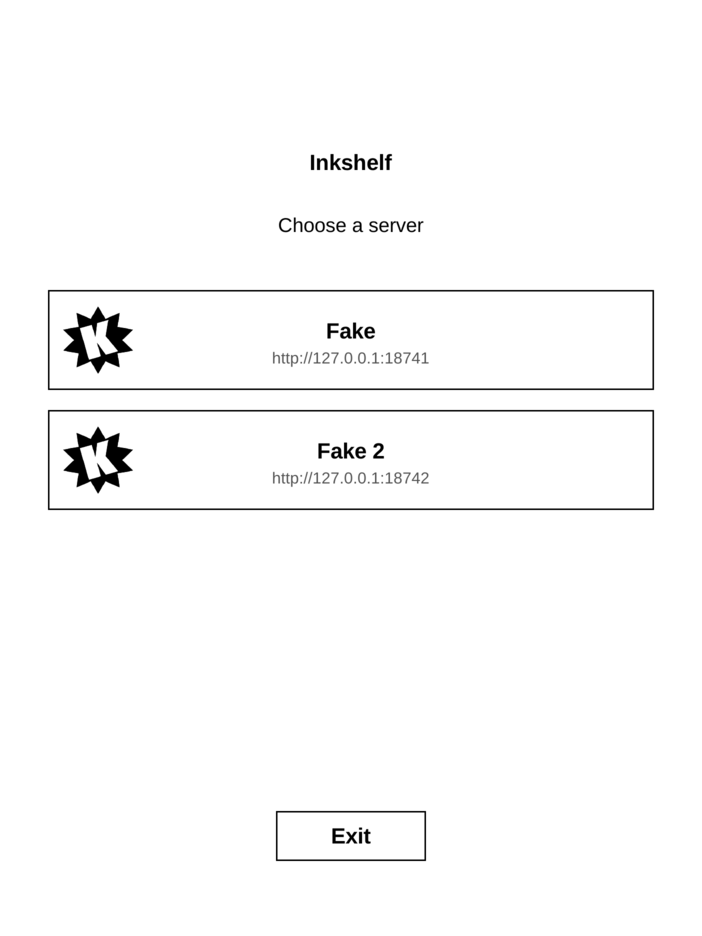
The servers listed in config.json, here two fake ones run by the emulator.
Why it is interesting
Most PocketBook apps are written in C against PocketBook's SDK, a library called libinkview
that draws, refreshes the screen and reads the buttons for them. Inkshelf uses none of it. It is a
plain Go program with no C code at all (no cgocgo: Go's bridge to C code. Inkshelf does not use it, so a plain go build makes the reader's program on any computer.), so one command builds it on
any computer:
make build # CGO_ENABLED=0 GOOS=linux GOARCH=arm GOARM=7 go build … -o build/inkshelf.app ./cmd/inkshelf
So everything the SDK did, Inkshelf does itself, and that is what this site shows:
- it writes pixels straight into the screen's memory, the FramebufferFramebuffer: The block of memory (/dev/fb0) the panel controller reads pixels from. Writing to it changes nothing on screen until a refresh., and asks the panel to refresh with an ioctlioctl: A system call that sends a device-specific command to a driver, here to ask the panel for a refresh (MXCFB_SEND_UPDATE).;
- it talks to the reader's firmware through Linux IPCIPC: Inter-process communication: how the app and the reader's firmware talk, through shared memory and message queues., to learn when it is in front, when Wi-Fi is up, and to receive taps and keys;
- it opens EPUB files and lays out their text itself: CSS, line breaking, hyphenation, justification, pages;
- it turns a color comic page into the panel's 16 grays, once, when the book downloads.
How to read this site
The site is one path, from the easiest ideas to the hardest. Each part only uses what came before it.
- 1The big pictureA book’s whole trip, from the server to your eyes, and how the code is stacked in layers.●●●
- 2The screenE-ink, 16 grays, drawing without the vendor’s SDK, the firmware, the event loop, the emulator.●●●
- 3BooksWhat is inside an EPUB, how its CSS applies, how text is drawn in gray, how it becomes lines and lines become pages.●●●
- 4The appFrom a tap to a screen, one lock for many goroutines, three kinds of server, downloads, and syncing progress.●●●
Along the way:
- Widgets. Most chapters have a figure marked Interactive. Each shows one idea, and its Try this line says what to do with it. Playing with them is the fastest way to understand.
- Words. A dotted word, like DitheringDithering: Hiding the lack of grays by spreading each pixel’s rounding error onto its neighbours, so the eye sees the right average., is in the glossary: hover over it for a short definition, click it for the full list.
- Code. Each chapter ends with Where it lives in the code: the real files and functions. Every name and number on this site was checked in the Go code.
- Quizzes. A chapter ends with a few questions. Click an answer to see why.
- Going deeper. Folded Going deeper boxes hold the details you can skip on a first read.
When you want to read the code itself, A tour of the code gives the files to open for each part, in order, with a test or an emulator run at each stop.
The Reference (in the menu at the top) holds the precise, complete version of each chapter, for when you change the code. Each chapter links to its own.
What you need to know
Nothing about e-readers. Some programming, in any language: Go code is shown in short snippets, and they read like most C-family languages. When a Go idea matters (a GoroutineGoroutine: Go’s lightweight thread. Inkshelf starts them only from the main thread, with state.Go., a MutexMutex: A lock: only one goroutine at a time may hold it, so they never change the same data at once.), the site explains it.
Start with A book's journey: one book, from the server to your eyes.